
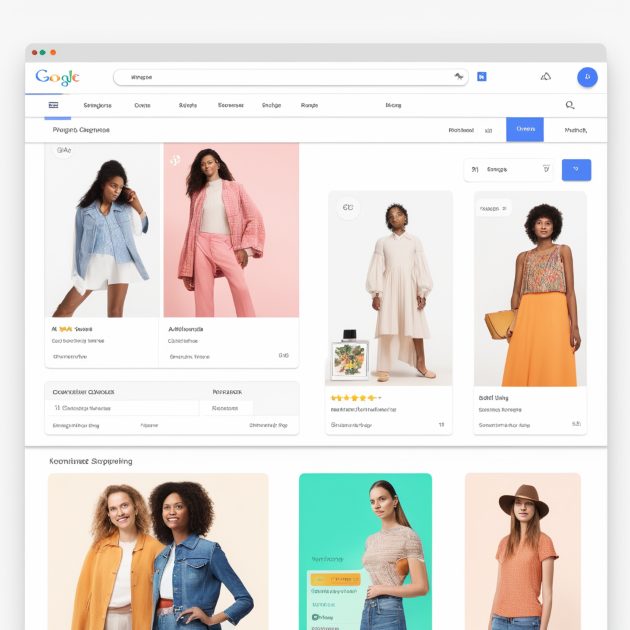
Product Data Feed Optimization for Google Shopping. Looking to boost your visibility on Google Shopping? This article will guide you through product data feed optimization. By optimizing your feed, you’ll ensure accurate representation, stand out from competitors, and attract the right audience.
Our services include optimizing GTINs, crafting captivating titles, enhancing color attributes, improving images, and utilizing customer ratings to drive results. Learn the importance of valid GTINs, relevant keywords, and high-quality images. Discover how product descriptions, customer reviews, and performance monitoring play a role.
Implement these strategies to maximize ROI and drive better performance on Google Shopping. Let’s dive in!
Key Takeaways
- GTINs are essential for optimizing product data feeds for Google Shopping.
- Product titles should be optimized with important keywords and provide consistent information.
- Color attributes should be optimized using the actual color names and including primary and secondary colors.
- Dynamic repricing and monitoring competitor activity are crucial for competitive pricing in e-commerce.
Product Data Feed Optimization for Google Shopping: Importance of Product Data Feed Optimization
To understand the importance of product data feed optimization for Google Shopping, you need to recognize that it plays a crucial role in improving your advertising campaigns and driving better results.
When you optimize your product data feed, you’re ensuring that your products are accurately represented in the online marketplace, making it easier for potential customers to find and purchase them. By optimizing your product listings, you can enhance your visibility in search engine results and increase the chances of your products being seen by relevant shoppers. This leads to higher click-through rates and conversions, ultimately boosting your e-commerce sales.
Additionally, optimizing your product data feed allows you to better manage and organize your data, making it easier to track and analyze the performance of your advertising campaigns.
In the highly competitive retail industry, effective product data feed optimization is essential for successful online advertising and marketing strategies.
Google Shopping makes up 65% of all Google Ads clicks.
Importance of Product Data Feed Optimization
Key Elements of a High-Quality Google Shopping Feed
To create a high-quality Google Shopping feed, you need to focus on optimizing key elements that will enhance the visibility and performance of your product listings.
Here are three key elements to consider:
- Product Attributes: Ensure that your product attributes are accurate, complete, and relevant. This includes providing detailed and informative product descriptions, using clear and high-quality product images, and setting availability and stock status consistently.
- Data Optimization: Optimize your data feed by using relevant and popular keywords in your product titles and descriptions. Conduct competitive analysis to identify keywords used by your competitors and incorporate them into your feed. Regularly update and optimize your data feed to stay competitive in the market.
- Feed Management: Implement effective feed management strategies to ensure that your product data is organized, up-to-date, and compliant with Google Shopping requirements. Use product information management tools to streamline the process and automate tasks such as data mapping and attribute mapping.
Optimizing Product Titles for Google Shopping
You should frequently optimize your product titles for Google Shopping to improve visibility and performance. Optimizing product titles is an essential part of product data feed optimization for Google Shopping.
By optimizing your product titles, you can increase ad relevance, improve ad targeting optimization, and enhance ad campaign optimization.
When optimizing your product titles, consider incorporating important keywords from your search term report to align with what customers are searching for. Place crucial information at the beginning of the title to avoid truncation, and avoid listing the company name unless it’s a well-known brand.
Additionally, research competing products and their advertised keywords to find relevant and popular keywords to include in your product titles. By following these best practices, you can optimize your product titles for Google Shopping and improve your ad performance tracking.
Utilizing Relevant Keywords in Product Titles
To utilize relevant keywords in your product titles for Google Shopping, incorporate important search terms from your search term report. This will help optimize your ad performance and improve ad placement. By including relevant keywords in your product titles, you increase the chances of your ads being targeted to the right audience.
Here are three key points to consider:
- Keyword Research: Use tools like Google Keyword Planner or SEMrush to find popular and relevant keywords for your products. This will ensure that your titles align with what customers are searching for.
- Title Optimization: Place important keywords at the beginning of your titles to maximize visibility and avoid truncation. Keep your titles concise and informative, providing relevant details about your products.
- Testing and Optimization: Continuously test different title variations to determine which ones resonate best with your target audience. Monitor your click-through rate (CTR) and conversion tracking to identify and optimize underperforming titles.
Creating Compelling Product Descriptions
Craft engaging and persuasive product descriptions to captivate potential customers and drive conversions.
Your product descriptions play a crucial role in attracting and informing customers about your products. To optimize your product descriptions, start by conducting thorough keyword research to identify relevant keywords that will improve your product’s visibility in search results. Incorporate these keywords naturally into your descriptions to improve your online presence and increase your product’s visibility.
Highlight the unique selling points and features of your products to differentiate them from competitors. Use clear and concise language to provide a seamless reading experience for your customers, especially on mobile devices.
Additionally, ensure that your product descriptions are optimized for conversion rate optimization by including persuasive ad copy and promoting product availability.
Enhancing Product Images for Better Performance
How can you improve the performance of your product images for Google Shopping?
Enhancing your product images is crucial for optimizing your product data feed for Google Shopping.
Here are three key strategies to consider:
- Optimize image quality: Use high-resolution images that are visually appealing and showcase your products in the best light. This will attract more shoppers and increase ad impressions.
- Use multiple product images: Showcasing your product from different angles or perspectives can provide shoppers with a better understanding of the product. This can lead to higher sales performance and a better user experience.
- Test different images: Conduct A/B testing with different product images to see which ones perform best. Analyze the results to identify the most effective images and optimize your product data feed accordingly.
Leveraging Customer Reviews for Trust and Conversions
Leverage customer reviews to build trust and drive conversions in your Google Shopping campaigns. Customer reviews provide social proof and help potential customers make informed buying decisions. Positive reviews showcase the positive experiences of previous customers, increasing the likelihood of conversions.
Encourage customers to leave reviews and display positive reviews prominently on your product listings. Responding to negative reviews shows that you value customer feedback and are committed to providing excellent service. Regularly monitoring and updating product reviews can help you address any concerns and improve your offerings.
Monitoring Performance Metrics for Optimization
To optimize your Google Shopping campaigns, start by monitoring performance metrics for optimization. By regularly analyzing ad campaign performance, you can identify areas for improvement and make informed ad optimization strategies.
Here are three key components to consider when monitoring performance metrics:
- Ad Monitoring: Keep a close eye on ad performance tracking tools to measure the effectiveness of your campaigns. Track metrics such as click-through rates, conversion rates, and return on ad spend to identify underperforming ads and optimize them accordingly.
- Data Feed Optimization: Utilize data feed optimization tools to ensure the quality and accuracy of your product data. Validate and enrich your product data using tools that offer data feed quality control, product data validation, and product data enrichment features. This will help improve the visibility and relevance of your products in Google Shopping.
- Ad Placement and Targeting Optimization: Use ad targeting optimization tools to refine your targeting parameters and reach the right audience. Analyze the performance of your ad placements and adjust your bidding strategies accordingly to maximize the impact of your ads.
Dynamic Repricing Strategies for Competitive Advantage
Implement dynamic repricing strategies to gain a competitive advantage in your Google Shopping campaigns. By utilizing ad bidding and competitor analysis, you can adjust your product pricing to stay ahead of the competition. Conduct thorough price comparisons to ensure your prices are attractive to shoppers.
Monitor ad rank and use ad testing to optimize your ad placement strategy. Organize your products into relevant ad groups and track their performance using ad tracking and segmentation.
Troubleshooting and Fixing Data Anomalies in Google Analytics 4
To troubleshoot and fix data anomalies in Google Analytics 4, you need to closely monitor key metrics and compare them to historical data. This will help you identify any irregularities or discrepancies that may indicate data accuracy issues.
Here are three steps you can take to address data anomalies:
- Data Validation: Ensure that the data being collected is accurate and reliable. Use data validation techniques to identify any inconsistencies or errors in the data.
- Data Cleansing: Cleanse the data by removing any duplicate, incomplete, or irrelevant information. This will help improve data quality and ensure that the insights derived from the data are accurate and reliable.
- Data Formatting and Mapping: Properly format and map the data to ensure consistency and compatibility with Google Analytics 4. This includes standardizing data fields, mapping them to the appropriate dimensions and metrics, and ensuring data normalization for accurate analysis.
Frequently Asked Questions
Q: What Is Google Shopping?
A: Google Shopping is a platform that allows retailers to showcase their products and reach potential customers online. It displays product ads on Google’s search results page and other Google properties.
Q: What Is a Product Feed?
A: A product feed is a file that contains all the information about your products, such as product titles, descriptions, prices, and images. This feed is used to populate your Google Shopping ads.
Q: How Does Google Shopping Work?
A: Google Shopping works by matching your product feed with relevant search queries. When someone searches for a product that matches the details in your feed, your product ad will be displayed in the search results.
Q: What Is Google Merchant Center?
A: Google Merchant Center is a tool that allows you to upload and manage your product feed. It is where you submit your product feed and make any necessary updates or optimizations.
Q: What Are the Best Practices for Google Shopping Feed Optimization?
A: Some best practices for Google Shopping feed optimization include providing accurate and detailed product information, optimizing your product titles and descriptions, using high-quality images, and regularly updating your product feed.
Q: How Can I Optimize My Google Shopping Feed?
A: To optimize your Google Shopping feed, you can start by ensuring that your product titles contain relevant keywords, provide detailed and accurate product descriptions, use high-quality images, and regularly review and update your product feed.
Q: What Are Some Tips for Optimizing Google Shopping Product Details?
A: Some tips for optimizing Google Shopping product details include using specific product attributes such as product type and product category, providing accurate and concise information about your product, and ensuring that your product details match the search intent of potential customers.
Q: How Can Google Shopping Ads Help My Business?
A: Google Shopping ads can help your business by increasing its visibility and driving relevant traffic to your website. These ads allow you to showcase your products to users who are actively searching for them.
Q: How Do I Get My Product Feed to Appear on Google Shopping?
A: To get your product feed to appear on Google Shopping, you need to create a Google Merchant Center account, upload your product feed, ensure that it meets Google’s requirements, and link your Google Ads account to your Merchant Center account.
Q: What Is the Role of Feed Management Tools in Google Shopping Feed Optimization?
A: Feed management tools can simplify the process of optimizing your Google Shopping feed by allowing you to automate tasks such as updating prices, adding new products, and optimizing product attributes. These tools can help you save time and improve the quality of your product feed.
Conclusion
Optimizing your product data feed for Google Shopping is essential for improving visibility and reaching potential customers. By focusing on key elements such as accurate GTINs, compelling product titles, high-quality images, and customer reviews, you can maximize your advertising ROI and drive better performance.
Additionally, monitoring performance metrics and implementing dynamic repricing strategies can give you a competitive advantage. Don’t forget to troubleshoot and fix any data anomalies in Google Analytics 4 to ensure smooth optimization.
Start optimizing your product data feed today and unlock the full potential of Google Shopping!
